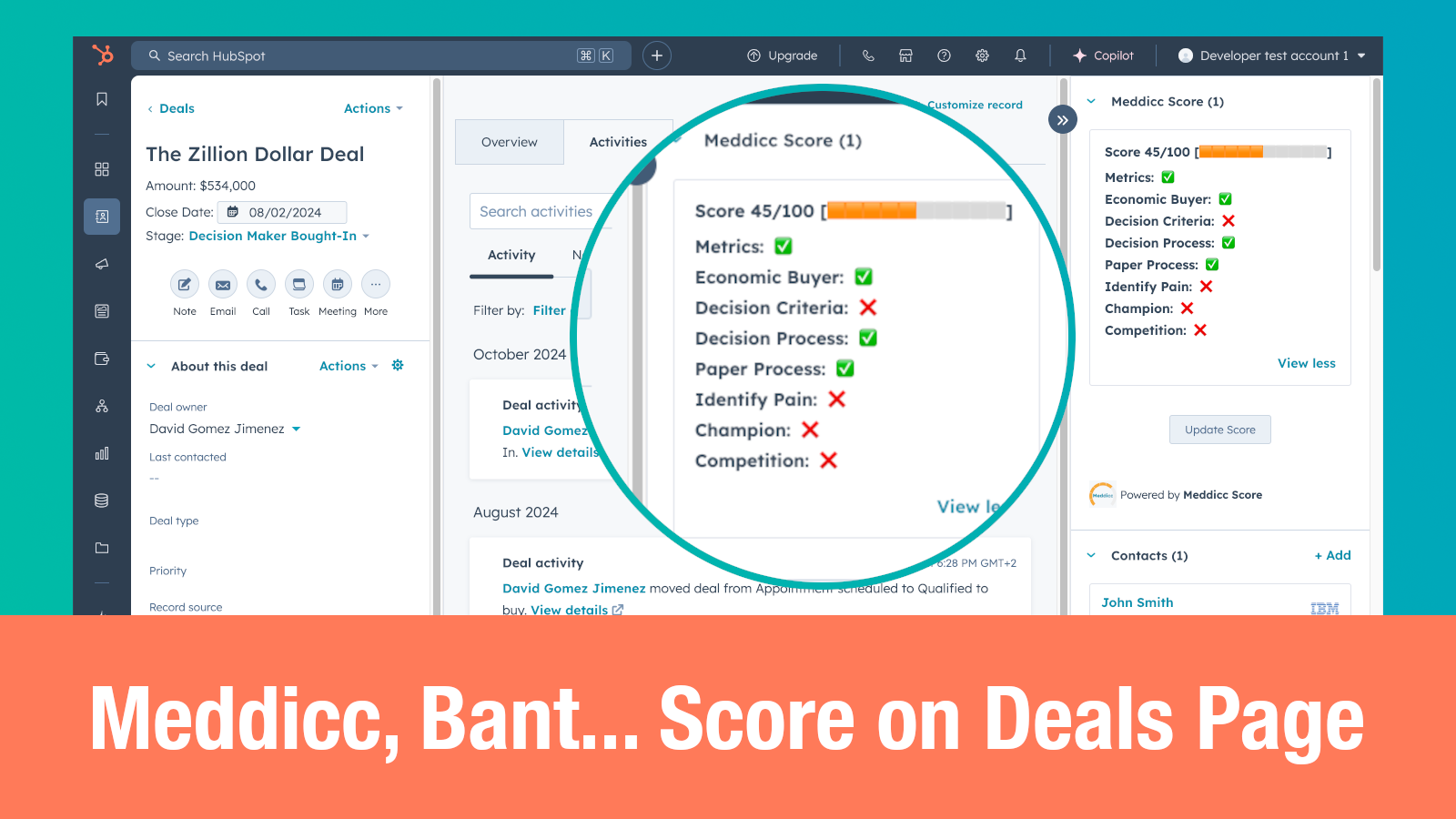
How to Lock and Unlock the Meddicc Score with a HubSpot Workflow
If you want your team to stop changing the MEDDICC score once a deal reaches a late stage, HubSpot workflows are a clean way to automate it.
The easiest way is to use the native Meddicc Score custom workflow actions inside HubSpot. You can add a Lock MEDDICC Score action when the deal reaches Contract Sent, and an Unlock MEDDICC Score action if the deal moves backwards in the pipeline.
This is useful when you want the score to reflect the qualification state at the moment the commercial process is already advanced, instead of continuing to drift after the proposal has been sent.
If you need more control, the same behavior can also be done with HubSpot’s Send a webhook action and the Meddicc Score API. That detailed API method is included later in this guide.
Before You Start
Make sure you already have:
- A Pro+ Meddicc Score account
- Permission to create or edit HubSpot workflows
For the recommended custom action method, you do not need to create an API key or configure webhook authentication.
Recommended Method: Use the Meddicc Score Workflow Action
In HubSpot, create a new deal-based workflow.
Set the enrollment trigger so the workflow runs when:
- Property name is Deal stage
- New value is Contract Sent
This means every time a deal enters that stage, HubSpot will run the Meddicc Score action automatically.
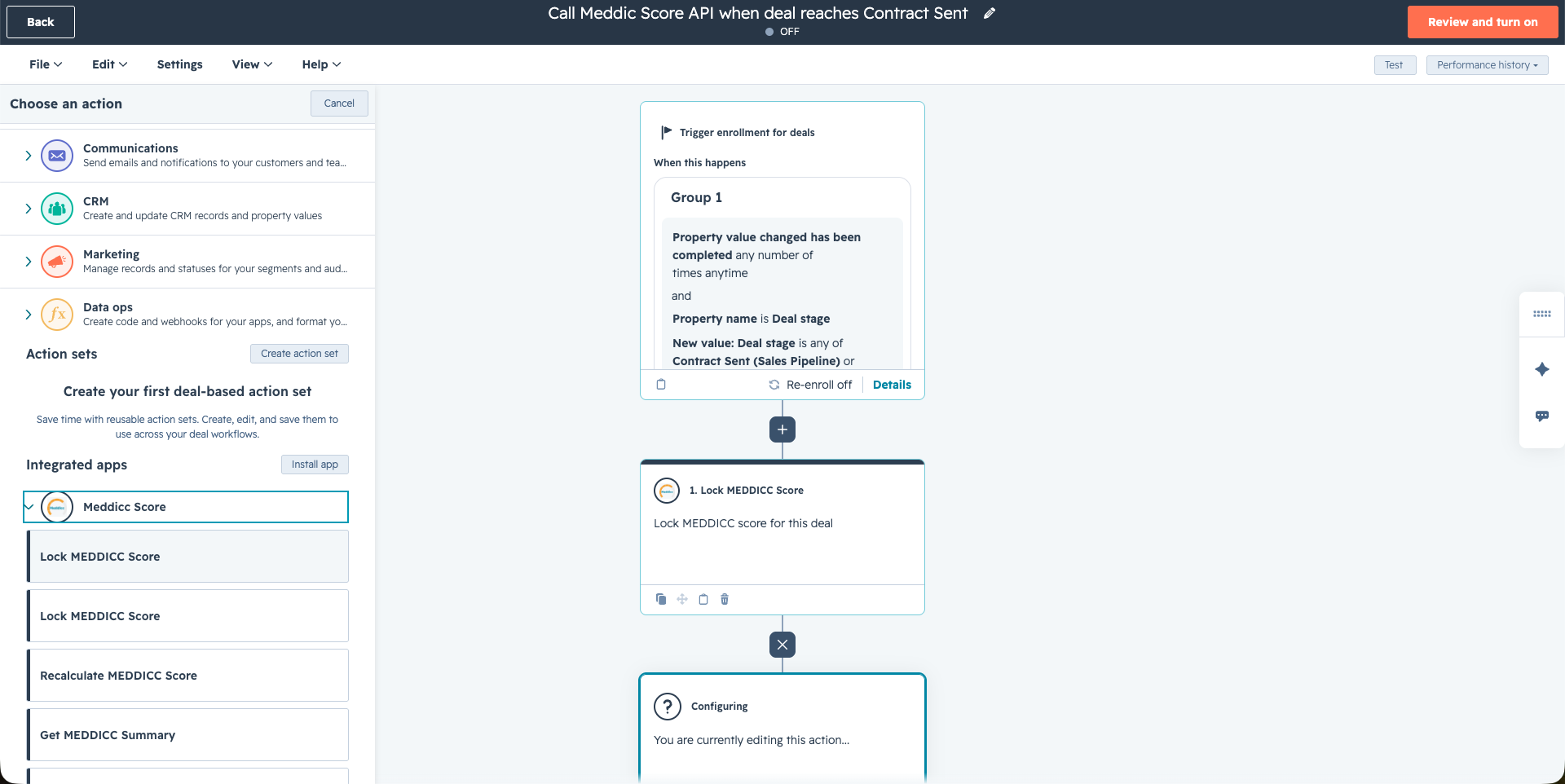
Add the Lock MEDDICC Score Action
Inside the workflow, add a new action and choose:
Meddicc Score > Lock MEDDICC Score
The action uses the enrolled deal automatically, so you do not need to map the deal ID manually.
When the workflow runs, Meddicc Score will:
- find the enrolled HubSpot deal
- lock the current MEDDICC score
- return workflow outputs such as score, completion percentage, and locked status
The most important output is:
Score Locked = true
That confirms the score is now frozen for the deal.
Test the Workflow
Before turning the workflow on for all deals, use HubSpot’s Test option.
Run the workflow on a test deal that you can safely move into Contract Sent.
If the action is configured correctly:
- the workflow action should complete successfully
- the deal score will become locked in Meddicc Score
- future recalculations will no longer overwrite the stored score unless you unlock it later
If something fails, the most common issues are:
- the account is not on Pro+
- the selected deal is not yet present in the Meddicc Score database
- the enrolled deal does not have MEDDICC data yet
- the workflow is running from a different HubSpot portal than the connected Meddicc Score account
Unlock the Score Later
If you ever want to reverse the behavior, create another deal-based workflow and use:
Meddicc Score > Unlock MEDDICC Score
For example, you can trigger this workflow when:
- the deal stage moves backwards from Contract Sent
- the deal is reopened
- your team needs to recalculate the score after new qualification information is added
When the unlock action runs, Meddicc Score sets:
Score Locked = false
After that, future score recalculations can update the stored MEDDICC score again.
Advanced Method: Use a HubSpot Webhook and the API
The custom workflow action above is the recommended setup for most teams.
The webhook method below does the same thing, but it is useful if you want to understand the underlying API call, reuse the API from another system, or build a more customized workflow.
For this method, make sure you also have:
- An active Meddicc Score API key
- Access to the Send a webhook action in HubSpot
To get the Meddicc Score API key, open Meddicc Score > Settings > Meddicc Score API Key (Pro+) and copy it from there.
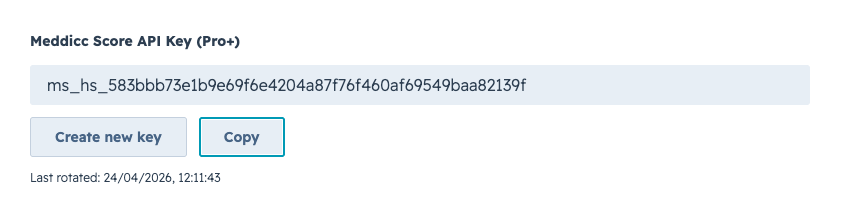
The endpoint we will call is:
https://app.meddiccscore.com/hubspot/api/v1/meddicc/score-lock
API Step 1: Create a Deal-Based Workflow Triggered by Contract Sent
In HubSpot, create a new deal-based workflow.
Set the enrollment trigger so the workflow runs when:
- Property name is Deal stage
- New value is Contract Sent
This means every time a deal enters that stage, HubSpot will execute the webhook action.
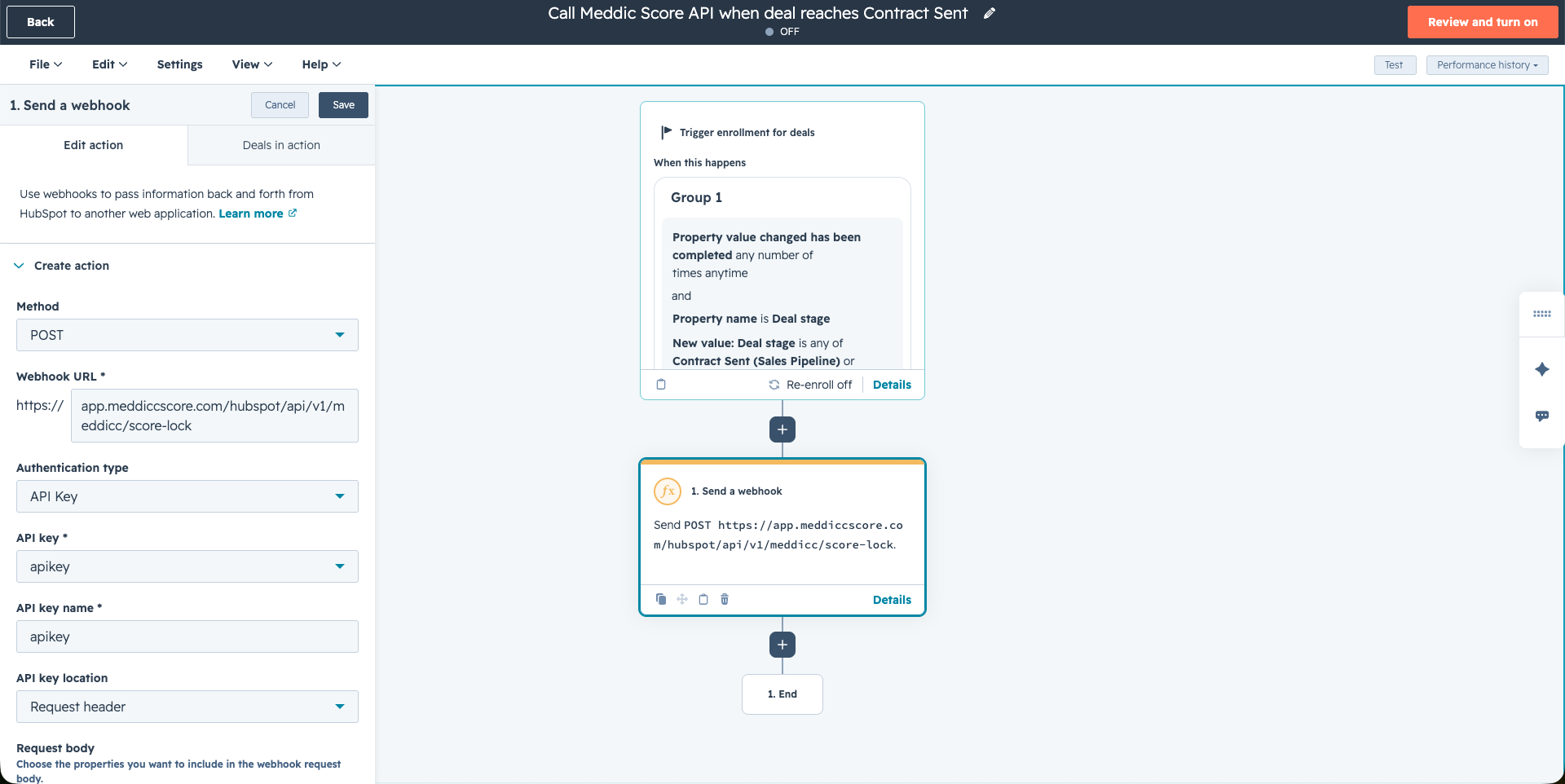
API Step 2: Add a Send a Webhook Action
Inside the workflow, add the Send a webhook action.
Use these values:
- Method:
POST - Webhook URL:
https://app.meddiccscore.com/hubspot/api/v1/meddicc/score-lock - Authentication type:
API Key - API key:
apikey - API key name:
apikey - API key location:
Request header
The Meddicc Score API accepts the key in a header named apikey, which fits well with HubSpot’s webhook action configuration.
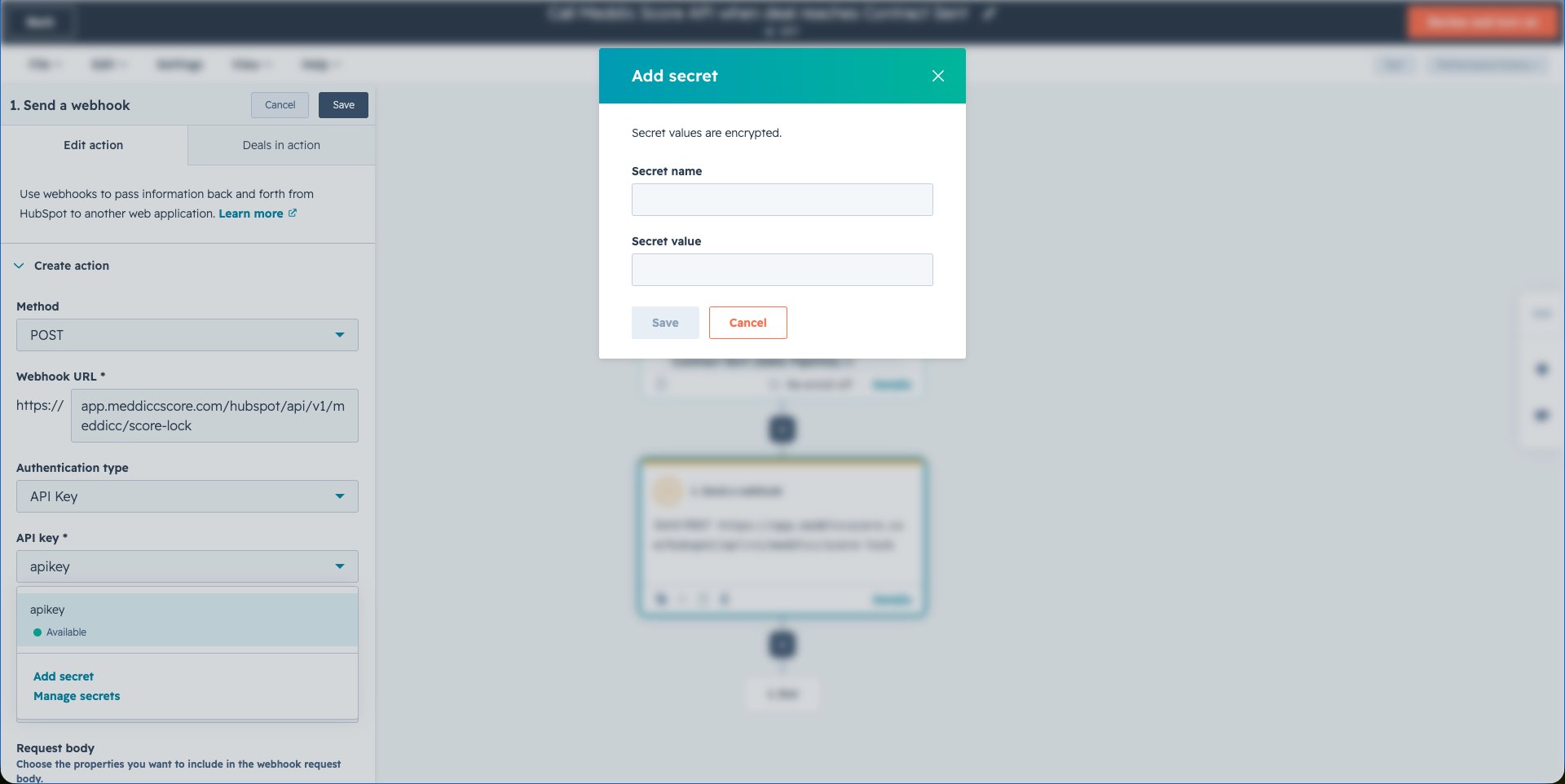
API Step 3: Store the API Key as a Secret
Instead of pasting the token directly into the action, save it as a HubSpot secret.
Click Add secret and create a secret with:
- Secret name: any internal name you prefer, for example
apikey - Secret value: your Meddicc Score API key
Then select that secret in the webhook action.
This keeps the workflow easier to manage and avoids exposing the raw API token repeatedly across actions.
API Step 4: Configure the Request Body
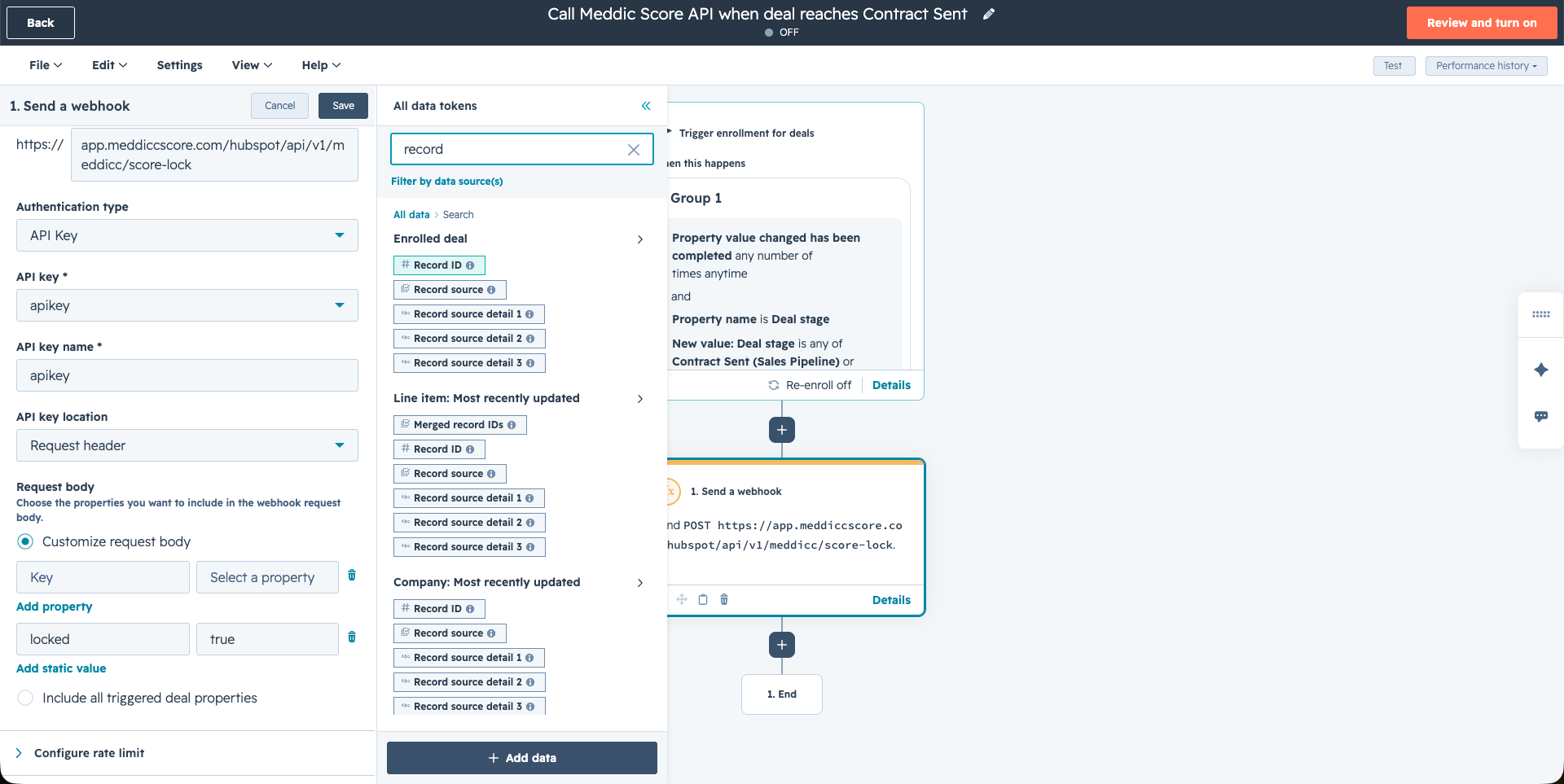
In the Request body section, choose Customize request body.
Add these fields:
-
hs_object_idValue: the enrolled deal Record ID -
lockedValue:true
The final body should be equivalent to:
{
  "hs_object_id": "123456789",
  "locked": true
}
Why this matters:
hs_object_idtells the Meddicc Score API which HubSpot deal to updatelocked: truetells the API to lock the overall MEDDICC score for that deal
In HubSpot, the easiest token to use is the enrolled deal Record ID, because the API accepts it directly as hs_object_id.
API Step 5: Test the Workflow
Before turning the workflow on for all deals, use HubSpot’s Test option.
Run the workflow on a test deal that you can safely move into Contract Sent.
If the request is configured correctly:
- the webhook should return a successful response
- the deal score will become locked in Meddicc Score
- future recalculations will no longer overwrite the stored score unless you unlock it later
If something fails, the most common issues are:
- the API key is wrong or expired
- the account is not on Pro+
- the body does not include
hs_object_id - the selected deal is not yet present in the Meddicc Score database
What the API Returns
The endpoint responds with a payload like this:
{
  "success": true,
  "lockedScore": true,
  "summary": {
    "hs_object_id": "123456789",
    "dealId": "123456789",
    "score": 78,
    "lockedScore": true,
    "completionPct": 64
  }
}
The most important field here is:
lockedScore: true
That confirms the score is now frozen for the deal.
How to Unlock It Later
If you ever want to reverse the behavior, use the same endpoint and send:
{
  "hs_object_id": "123456789",
  "locked": false
}
That can be done from another workflow, for example if the deal moves backwards in the pipeline.
Final Thoughts
This is one of the simplest and most practical ways to make Meddicc Score part of your operational process in HubSpot.
Instead of asking reps to remember when the score should stop changing, you define the rule once in the workflow and let HubSpot enforce it automatically. The custom workflow action is the easiest setup; the webhook/API version is there when you need extra control.
You can use the same pattern for other automations too, such as:
- locking individual MEDDICC answers
- recalculating the score at a specific stage
- setting a score manually from another process
- building workflow branches based on score or completion
If you have not configured the API yet, see the main Meddicc Score API guide.